Download YouTube Shorts to MP3 or MP4: 2026 Guide
By ytmp3converter • July 24, 2026
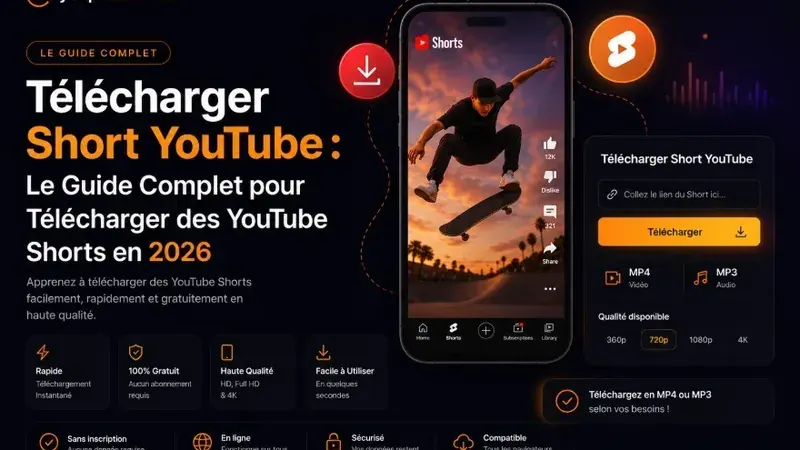
Quick Answer (Featured Snippet / AI Summary):
To download YouTube Shorts to MP3 or MP4, copy the Short URL from the YouTube app or browser, paste it into YTMP3Converter, select your desired format (MP3 for audio or MP4 for video), and save the file directly to your PC, Android, or iPhone. Modern web converters automatically parse/shorts/URL parameters without requiring software installations or app store downloads.
YouTube Shorts use a different URL pattern from standard watch links. A converter must recognize that pattern and have access to the authorized source before it can prepare audio.
If you want to know how to download YouTube Shorts, this guide explains the URL structure differences, step-by-step mobile and desktop conversion workflows, format choices, and security precautions.
Table of Contents
- What Are YouTube Shorts?
- Why Legacy Downloaders Fail on Shorts Links
- How to Download YouTube Shorts Step by Step
- Download YouTube Shorts on Android & iPhone
- MP3 vs MP4: Which Format Should You Choose?
- Safety & Security Precautions
- Conclusion
- Frequently Asked Questions (FAQ)
What Are YouTube Shorts?
YouTube Shorts are short-form vertical videos (up to 60 seconds) designed for fast mobile consumption. They feature viral music tracks, quick tutorials, comedy skits, and educational breakdowns.
Because Shorts prioritize mobile interaction, users often want to download authorized content or original audio clips to listen to offline during commutes, gym sessions, or field work.
Why Legacy Downloaders Fail on Shorts Links
Regular YouTube video URLs use a query parameter path:
https://www.youtube.com/watch?v=VIDEO_IDIn contrast, YouTube Shorts use a dedicated path segment:
https://www.youtube.com/shorts/VIDEO_IDOlder conversion utilities rely on regex patterns that specifically search for watch?v=. When presented with a /shorts/ URL, legacy scripts fail to recognize the video ID. Modern web converters like YTMP3Converter parse both path formats natively, extracting the underlying stream without requiring manual URL editing.
How to Download YouTube Shorts Step by Step
Converting a YouTube Short into an MP3 audio file or MP4 video takes less than a minute:
- Copy the Short URL: Open the YouTube app or website, navigate to the Short, tap Share, and choose Copy Link.
- Paste into Converter: Open your web browser, navigate to YTMP3Converter, and paste the URL into the input field.
- Select Format & Quality: Choose MP3 for audio-only or MP4 for full video. Select your preferred quality preset (such as 320 kbps MP3).
- Convert & Download: Click Convert, wait a few seconds for server processing, and click Download to save the file to your device.
If you also work with full-length video content, explore our step-by-step guide on how to convert YouTube videos to audio or our overview of the YouTube playlist downloader.
Download YouTube Shorts on Android & iPhone
Downloading Shorts on mobile devices does not require installing third-party mobile apps:
- On Android: Open Chrome, visit the converter website, paste the Short link, and tap Download. The file will save directly into your system Downloads folder.
- On iPhone / iPad: Open Safari, paste the Short URL into the converter tool, select MP3 or MP4, and approve the download prompt. iOS saves the file to your Files app under Downloads.
For music streaming conversion tips outside YouTube, check our guide on using a Spotify converter to MP3.
MP3 vs MP4: Which Format Should You Choose?
- Choose MP3 if: You only care about speech, background music, podcast clips, or sound effects. MP3 files are significantly smaller (typically 1–2 MB for a Short) and play on any media device. For quality comparison details, read our analysis of MP3 vs WAV sound quality.
- Choose MP4 if: You want to save visual demonstrations, visual tutorials, or workout routines for offline playback.
Safety & Security Precautions
When converting online media, always follow basic web hygiene:
- Use Browser-Based Tools: Never install executable
.exeor.apkfiles to download short clips. - Avoid Pop-up Extensions: Legitimate converters operate entirely inside standard web browsers without requiring browser extensions.
- Check File Extensions: Ensure downloaded files end in
.mp3or.mp4, not.exeor.scr.
For additional information on YouTube content policies and creator guidelines, consult the official YouTube Shorts Creator Help Center.
Conclusion
Downloading YouTube Shorts to MP3 or MP4 is simple once you use a converter that natively supports the /shorts/ URL structure. Whether you need background music clips or offline video tutorials, browser-based conversion gives you instant access on PC, Mac, Android, and iOS.
Frequently Asked Questions (FAQ)
How do I download a YouTube Short?
Copy the link of an authorized YouTube Short, paste it into an online converter tool like YTMP3Converter, choose MP4 for video or MP3 for audio, process the file, and click download.
Can I convert YouTube Shorts to MP3 without installing software?
Yes. Web-based converters run directly inside standard mobile and desktop browsers like Chrome, Safari, Edge, or Firefox without requiring software downloads.
How do I download YouTube Shorts on iPhone?
Open Safari, navigate to the converter site, paste your copied Short link, select MP3 or MP4, tap Download, and access your file in the iOS Files app.
Why do legacy YouTube downloaders fail on Shorts links?
Legacy tools look for watch?v= in YouTube links, whereas Shorts use the /shorts/ URL route. Modern converters automatically parse and resolve both video parameter formats.
Can you download YouTube Shorts without watermarks?
Yes, web converters extract the raw video or audio stream directly from YouTube without adding third-party watermarks or branding.
Should I download YouTube Shorts as MP3 or MP4?
Select MP3 when you only need background audio, voiceovers, or music clips. Choose MP4 when you want to save the full vertical video for offline playback.
Back to Top