MP3 vs WAV: Difference in Audio Quality, Size & Bitrate
By ytmp3converter • July 31, 2026
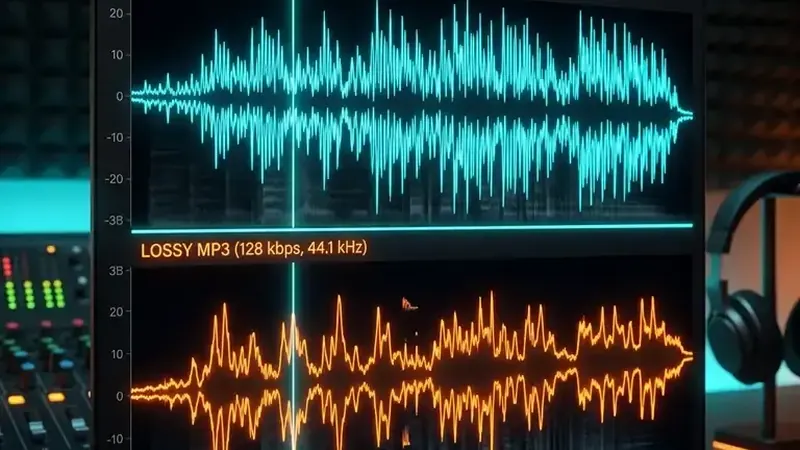
The primary MP3 vs WAV difference is that WAV is an uncompressed lossless format preserving 100% of original studio audio data, whereas MP3 is a lossy compressed format that reduces file size by up to 85% while sacrificing inaudible sound frequencies.
MP3 and WAV serve different needs. MP3 usually needs less storage; PCM WAV is useful when preserving decoded audio for editing matters more than file size.
Whether you are mastering tracks in a studio, preparing a DJ set, or downloading music for your phone, understanding mp3 vs wav saves both storage space and head scratching. This guide breaks down mp3 vs wav audio quality, file size differences, bitrate math, and which format wins for DJing, YouTube, video editing, and streaming.
Table of Contents
- What Is MP3 vs WAV? Core Difference Explained
- MP3 vs WAV Audio Quality: Can You Actually Hear the Difference?
- File Size & Storage: MP3 vs WAV Comparison
- MP3 or WAV for DJing, YouTube, Video Editing & Streaming
- Multi-Format Breakdown: MP3 vs MP4 vs WAV vs OGG vs FLAC
- How to Convert Between MP3 and WAV Without Quality Loss
- Conclusion: Which Audio Format Should You Choose?
- Frequently Asked Questions (FAQ)
What Is MP3 vs WAV? Core Difference Explained
To understand what is mp3 vs wav, you have to look at how each format stores sound waves.
+-----------------------------------------------------------------------+
|  WAV (Waveform Audio File Format)                                     |
|  - Developer: Microsoft & IBM (1991)                                  |
|  - Encoding: Uncompressed Linear PCM (Pulse Code Modulation)          |
|  - Bitrate: 1411.2 kbps (16-bit / 44.1 kHz Stereo)                    |
|  - Compression: None (Lossless bit-for-bit master audio)             |
+-----------------------------------------------------------------------+
|  MP3 (MPEG-1 Audio Layer III)                                         |
|  - Developer: Fraunhofer Institute & ISO (1993)                       |
|  - Encoding: Perceptual Psychoacoustic Lossy Compression              |
|  - Bitrate: 128 kbps to 320 kbps                                      |
|  - Compression: Lossy (Discards frequencies outside human threshold)  |
+-----------------------------------------------------------------------+
WAV is an uncompressed container created by Microsoft and IBM. It stores raw Pulse Code Modulation (PCM) data without stripping a single binary digit. Think of a WAV file as a raw camera image: every detail, quiet room reflection, and high-frequency cymbal decay remains intact.
MP3 is a lossy compressed format developed by the Fraunhofer Institute and standardized by the International Organization for Standardization (ISO). MP3 uses clever mathematical algorithms known as psychoacoustic modeling. It analyzes the track and discards audio signals human ears rarely notice—such as quiet instruments playing at the exact same millisecond as a loud bass drum hit.
That compression reduces file weight drastically, which is why people often wonder is mp3 or wav better for daily listening.
MP3 vs WAV Audio Quality: Can You Actually Hear the Difference?
When comparing mp3 vs wav audio quality, the answer depends heavily on your playback equipment and environment.
Frequency Spectrum Comparison:
WAV (Uncompressed):  [0 Hz ------------------------- 22,050 Hz] (Full Spectrum)
MP3 (320 kbps):      [0 Hz ------------------- 20,000 Hz] (High-end roll-off)
MP3 (128 kbps):      [0 Hz ------------- 16,000 Hz] (Noticeable brickwall filter)
Audio quality is primarily measured by bitrate, which represents the amount of digital data processed per second:
- Standard WAV Bitrate: 1,411 kbps (16-bit, 44.1 kHz stereo CD standard).
- Maximum MP3 Bitrate: 320 kbps (highest quality lossy MP3).
- Standard MP3 Bitrate: 192 kbps or 128 kbps (streaming and podcast default).
The Inaudible Reality of 320 kbps MP3s
If you listen to a 320 kbps MP3 alongside a WAV file through standard smartphone earbuds or a car bluetooth system, mp3 vs wav sound quality is functionally identical to human ears.
Human hearing peaks around 20,000 Hz in young adults and drops lower as we age. A 320 kbps MP3 retains frequencies up to roughly 20 kHz, making is mp3 or wav higher quality a technical distinction rather than an audible one for daily music playback.
However, on professional studio monitor speakers, high-end planar magnetic headphones, or club sound systems, the differences emerge:
- Cymbal Air and Reverb Tails: WAV files maintain smooth, natural high-frequency extension above 18 kHz.
- Dynamic Depth: WAV files preserve microscopic micro-dynamics and subtle acoustic room ambience.
- No Compression Artifacts: Low-bitrate MP3 files (below 192 kbps) can produce watery, swirling noise on hi-hats and sibilant vocals.
If you want to configure optimal audio export settings for your playback devices, review our detailed guide on best audio quality settings.
File Size & Storage: MP3 vs WAV Comparison
The biggest practical mp3 vs wav difference is disk space. Because WAV audio is completely uncompressed, file sizes grow rapidly.
Here is a direct mp3 vs wav file size comparison for standard track lengths:
| Song Duration | WAV (1411 kbps, Lossless) | MP3 (320 kbps, High) | MP3 (128 kbps, Standard) | Space Saved with MP3 |
|---|---|---|---|---|
| 3 Minutes | ~30.4 MB | ~7.2 MB | ~2.8 MB | ~76% to 90% |
| 5 Minutes | ~50.7 MB | ~12.0 MB | ~4.8 MB | ~76% to 90% |
| 10 Minutes | ~101.4 MB | ~24.0 MB | ~9.6 MB | ~76% to 90% |
| 60 Minutes (Album/Set) | ~608.4 MB | ~144.0 MB | ~57.6 MB | ~76% to 90% |
As the numbers show, an MP3 file takes up roughly 15% to 24% of the space required by an equivalent WAV file.
If you are storing 5,000 songs on a laptop or phone, a WAV library requires over 250 GB of storage. The same library in 320 kbps MP3 format fits comfortably in under 36 GB.
MP3 or WAV for DJing, YouTube, Video Editing & Streaming
Different audio workflows require different formats. Here is how to choose between mp3 or wav based on your specific use case.
+-----------------------------------------------------------------------+
|  Use Case Decision Matrix                                             |
|  - Studio Recording & Mixing: WAV (Always)                             |
|  - Mastering & Archiving: WAV or FLAC (Always)                         |
|  - DJing in Clubs: 320 kbps MP3 or AIFF (Best metadata & speed)        |
|  - YouTube Video Editing: WAV or 320 kbps MP3                         |
|  - Podcast Hosting: 128-192 kbps MP3                                   |
|  - Mobile Music Playback: 320 kbps MP3                                 |
+-----------------------------------------------------------------------+
MP3 vs WAV for DJing
DJs frequently debate mp3 vs wav for djing.
- Why DJs love 320 kbps MP3: MP3 files include full ID3 metadata support. Album artwork, artist name, key, tempo (BPM), and custom cue points load instantly into DJ software like Rekordbox, Serato, and Traktor. Flash drives load tracks fast without lag.
- The WAV Metadata Problem: Standard WAV files do not have a unified metadata tag standard. When you transfer WAV files between different DJ software or older CDJ media players, track titles often show up as
Track01.wavwithout artist names or artwork. - The Pro DJ Solution: If you need uncompressed audio for giant festival rigs but want full metadata tags, use AIFF instead of WAV.
MP3 or WAV for YouTube & Video Editing
When editing video in Premiere Pro, DaVinci Resolve, or Final Cut, use WAV audio on your timeline. Video editing software processes uncompressed audio with lower CPU overhead because it does not have to decode compressed frames in real time.
For uploads, YouTube re-encodes all submitted audio into AAC and Opus formats anyway. To learn more about upload format compatibility, read our full article on does YouTube support WAV files. If you frequently extract audio tracks from video streams, check out our guide to the YouTube to MP3 converter.
MP3 or WAV for Spotify and Music Distribution
When submitting original songs to music distributors like DistroKid or TuneCore for Spotify, Apple Music, and Tidal:
- Upload 24-bit / 44.1 kHz or 48 kHz WAV files.
- The distribution platform generates lossy streams (Ogg Vorbis for Spotify, AAC for Apple Music) directly from your pristine WAV master.
- Never upload an MP3 file to a digital distributor, as double compression degrades sound quality.
Multi-Format Breakdown: MP3 vs MP4 vs WAV vs OGG vs FLAC
Media formats can get confusing fast. Here is how mp3 vs mp4 vs wav and mp3 vs wav vs ogg compare across the spectrum:
+-----------------------------------------------------------------------+
|  Audio Format Spectrum                                                |
|                                                                       |
|  Uncompressed Lossless   -->   Compressed Lossless   -->   Lossy      |
|  [ WAV / AIFF ]                [ FLAC / ALAC ]             [ MP3/OGG ]|
|  1411 kbps                     ~700-900 kbps               128-320kbps|
+-----------------------------------------------------------------------+
MP3 vs MP4 vs WAV
- WAV: Standalone uncompressed audio file format.
- MP3: Standalone lossy compressed audio file format.
- MP4: Multimedia container format that holds both video (H.264/H.265) and audio (usually AAC or MP3). You cannot play an MP4 on a pure audio player without extracting the sound stream first.
MP3 vs WAV vs OGG
- OGG (Ogg Vorbis): An open-source lossy audio format used by Spotify and video game developers. At 160 kbps and 320 kbps, OGG provides slightly better compression efficiency than MP3 at matching bitrates. Learn how OGG compares in our guide on converting MP3 to OGG.
What About FLAC?
If you want lossless audio quality without the massive file size of WAV, FLAC (Free Lossless Audio Codec) compresses WAV audio by 30% to 50% using open-source zip-like compression without throwing away a single audio bit. Read our breakdown on what FLAC stands for to learn more.
How to Convert Between MP3 and WAV Without Quality Loss
Converting between audio formats is straightforward when using a reliable online converter or digital audio workstation (DAW).
Converting WAV to MP3
- Open your browser and navigate to a trusted audio file converter guide.
- Upload your
.wavfile. - Select MP3 as your output format.
- Choose 320 kbps bitrate for maximum clarity.
- Click Convert and download your small MP3 track.
Converting MP3 to WAV (Understanding Generation Loss)
You can convert an .mp3 file into a .wav file, but it will not restore lost audio quality.
When an MP3 is created, high-frequency data and subtle acoustic nuances are permanently deleted. Converting that MP3 into a WAV file simply places the compressed audio inside a larger uncompressed container. The file size will grow 5x larger, but the sound quality remains identical to the source MP3.
If you regularly work with Apple formats, you can also explore how to convert YouTube to M4A, check our guide on how to convert AAC to MP3, or learn about converting playlist streams with our Spotify converter to MP3 guide.
Conclusion: Which Audio Format Should You Choose?
Choosing between MP3 vs WAV comes down to your exact intent:
- Choose WAV if: You are recording vocals, mixing music in a studio, editing video, or submitting final masters to digital distributors.
- Choose 320 kbps MP3 if: You are DJing club sets, building a personal offline music collection, hosting podcasts, or sharing audio via email and web apps.
By keeping raw WAV masters archived on your main hard drive and exporting 320 kbps MP3s for daily playback, you get the best of both worlds: uncompressed archival security and lightweight universal convenience.
Frequently Asked Questions (FAQ)
What is the main difference between MP3 and WAV?
MP3 is a lossy compressed audio format designed for small file sizes and universal compatibility, while WAV is an uncompressed lossless format that preserves exact original studio recording quality.
Is WAV or MP3 better for DJing and live performances?
For most club DJs, 320 kbps MP3 is preferred because of smaller file size and rich ID3 metadata support, though audio purists on massive sound systems often choose WAV or AIFF.
Is MP3 or WAV audio quality noticeable to human ears?
To average listeners using standard headphones, a 320 kbps MP3 is virtually indistinguishable from a WAV file. However, during audio editing or on high-end monitors, WAV delivers superior detail.
Why is a WAV file so much bigger than an MP3 file?
A WAV file contains uncompressed PCM audio data running at 1411 kbps, making it roughly 4 to 5 times larger than a maximum quality 320 kbps MP3 file.
Is MP3 vs WAV lossless or lossy?
MP3 is a lossy format that discards subtle acoustic data human ears struggle to perceive. WAV is a lossless format that retains 100% of the raw audio data.
Should I record or export audio in MP3 or WAV format?
Always record, edit, and master audio in WAV format to prevent generation loss. Export to 320 kbps MP3 only when distributing to streaming platforms, email, or web apps.